On Page SEO Checklist: 20 Things to Fix on Every Page
Twenty specific checks to run on every service page, product page and article, from title tags and headings to internal links, images and structured data.
Read the guideHow to plan a redesign, platform change or domain move so you keep the rankings and traffic you already have, with a full before, during and after checklist.
A new website should bring more leads. Too often, it does the opposite. Traffic drops the week after launch, rankings disappear and nobody is sure why.
The cause is almost always the same: URLs changed, redirects were missed, content was removed or the new site was accidentally blocked from Google. This guide explains website migration SEO in practical terms, with a checklist for before, during and after launch. It is part of our complete SEO guide for businesses.
Any change that affects how search engines find and understand your pages counts as a migration.
| Migration type | Example | SEO risk |
|---|---|---|
| Redesign | New design and templates, same domain | Medium: content, headings and internal links often change |
| URL structure change | /services.php?id=4 becomes /services/local-seo/ |
High: every changed URL needs a redirect |
| Platform change | WordPress to Shopify, Wix to WordPress | High: URLs, templates and technical setup all change |
| Domain change | oldbrand.in to newbrand.com | High: every URL changes |
| HTTP to HTTPS | Moving to a secure version | Low if redirects are handled properly |
| Merging sites | Two websites combined into one | High: overlapping content and redirects |
The higher the risk, the more planning matters.
Rankings are tied to specific URLs. Each URL has its own history: backlinks pointing to it, signals Google has learned about it and its position for certain searches. When a URL disappears without a redirect, that history is lost.
The most common causes of traffic loss:
Every one of these is preventable.

This is where most of the work happens.
Record current performance so you can compare after launch:
Crawl the current site with Screaming Frog and export every URL. Add URLs from your XML sitemap, Search Console's top pages, GA4 landing pages and your backlink tool. Some URLs with traffic or backlinks are not linked anywhere on the site, so a crawl alone will miss them.
Mark the pages that bring the most organic traffic, leads, revenue and backlinks. These need extra care. Their content, title tags and headings should carry over to the new site unless there is a clear reason to change them.
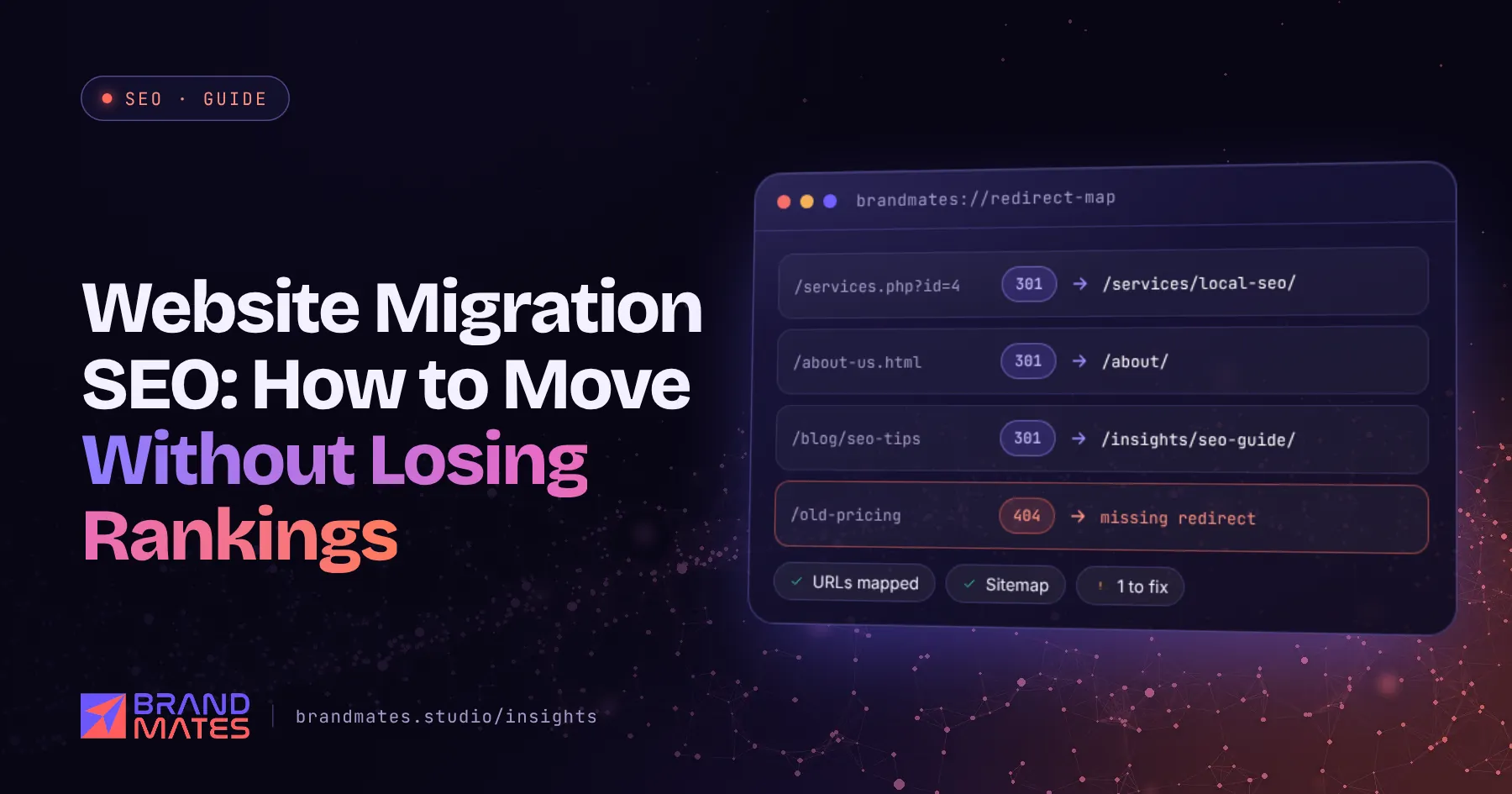
A redirect map is a spreadsheet with every old URL in one column and its new destination in the next.
| Old URL | New URL | Notes |
|---|---|---|
| /services.php?id=4 | /services/local-seo/ | Direct match |
| /blog/2019/seo-tips | /insights/seo/on-page-seo-checklist/ | Closest relevant page |
| /old-offer | /services/ | Retired page, nearest parent |
Rules for a good redirect map:

On an Apache server, redirects can sit in the .htaccess file. These are three separate scenarios, not one combined file:
# Scenario 1: a single page that moved on the same domain
Redirect 301 /local-seo.html /services/local-seo/

# Scenario 2: an old URL with a query string, same domain
RewriteEngine On
RewriteCond %{QUERY_STRING} ^id=4$
RewriteRule ^services\.php$ /services/local-seo/? [R=301,L]

# Scenario 3: a whole domain that moved (use this on its own,
# or give earlier rules absolute https://www.newbrand.com targets
# so no URL is redirected twice)
RewriteCond %{HTTP_HOST} ^(www\.)?oldbrand\.in$ [NC]
RewriteRule ^(.*)$ https://www.newbrand.com/$1 [R=301,L]
A simple Redirect line cannot match query strings, which is why URLs with parameters need a RewriteCond rule. Platforms such as Shopify and Wix, and WordPress redirect plugins, have their own redirect managers. Ask your developer which method suits your setup.
Before launch, check the staging site against the old one:
Keep staging blocked from search engines with a password, not only with noindex, so it never gets indexed by accident. Our on page SEO checklist is useful for reviewing key templates.
Not sure what is holding your site back?We check technical health, content, competitors and AI visibility, then send a prioritised fix list within two working days.
Expect some movement in the first few weeks while Google processes the changes. Watch closely:
Keep redirects in place for at least a year. Google's guidance is to keep them for as long as possible, and many sites keep them permanently.
On a well planned migration, traffic often stays steady or dips only briefly. A small domain move can settle within a few weeks. Larger sites, platform changes and domain moves can take longer. If traffic is still well below the benchmark after a month or two, something has usually gone wrong, most often redirects or removed content. Our guide on how long SEO takes explains what normal ranking movement looks like.
For one industrial component manufacturer, we owned SEO for a full site migration, preserving URLs across more than 40 product pages while improving heading structure, schema and internal links. See the industrial B2B SEO case study.
A migration is also a good moment to make your site easier for AI assistants to read. Our guide to schema markup for AI search covers what to add while templates are being rebuilt.
If you are rebuilding your site or changing platforms, bring SEO in at the planning stage, not after launch. Our website development and SEO services teams work together on migrations. Request a free SEO audit and we will benchmark your current site and flag the pages that need protecting.
It can, positively or negatively. A redesign that keeps URLs, content and structure for important pages while improving speed and usability often helps. One that changes URLs without redirects or removes content usually causes a traffic drop.
Keep them for at least a year, and ideally permanently. Backlinks and bookmarks pointing to old URLs keep working, and Google has time to transfer signals to the new pages.
No, not as a general rule. Redirect each old URL to the closest matching new page. Google may treat mass redirects to the homepage as soft 404s, and visitors arriving from old links are confused when they land somewhere unrelated.
A small, short dip is common while Google recrawls and processes redirects. A large or lasting drop usually points to missing redirects, removed content, a noindex tag or a robots.txt block left over from staging.
Yes, if it is planned properly. Redirect every old URL to its matching new URL with 301 redirects, verify both domains in Search Console, use the Change of Address tool and monitor closely for several months.

Twenty specific checks to run on every service page, product page and article, from title tags and headings to internal links, images and structured data.
Read the guide
A realistic month by month SEO timeline, the six factors that decide how fast results arrive, and the early signals that show it is working.
Read the guide
How to earn backlinks that build real authority, what Google's spam policies say about link schemes, and the tactics that put your site at risk.
Read the guideTell us where your brand needs to go. We'll come back with a free audit, a plan and a realistic timeline, usually within two working days.